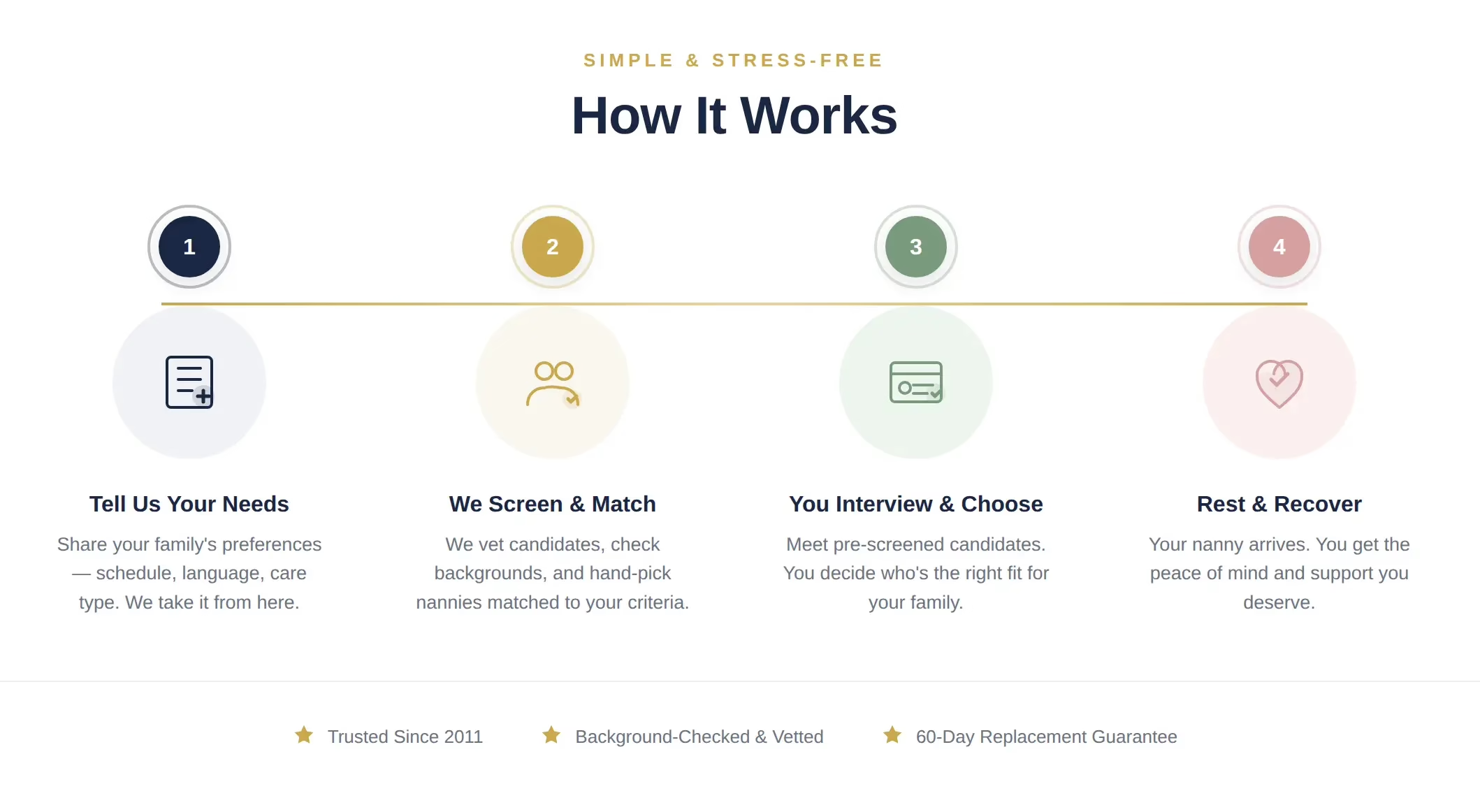
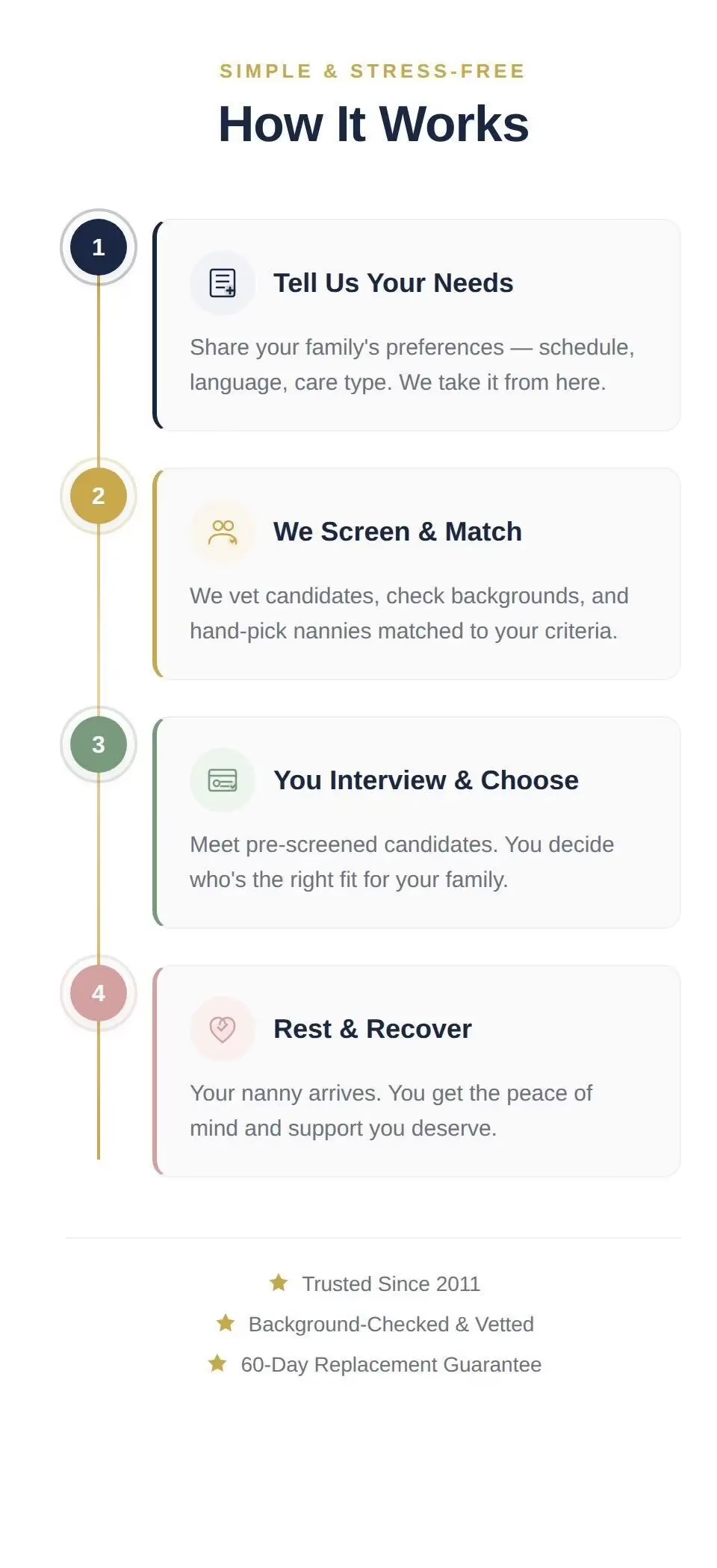
开始您的个性化保姆配对程序
我们亲自为全国各地的家庭匹配经过审核的产后保姆、住家保姆、管家和老人看护人员。
开始我的匹配
✓ 自 2011 年以来备受信赖
✓ 为 1,000 多个家庭提供服务
✓ 60 至 90 天更换保证
✓ 背景调查和审查
常见问题解答
How long does matching take?
一旦您预订成功,我们将根据您的要求,在 1-2 周内为您推荐 2-3 名经过预选的候选人,具体取决于空闲情况和您所在的地点。如果是专门的中国式住家保姆,我们建议您尽早预订,以确保空闲时间。
Is this a commitment?
提交表格并获得咨询后,我们就可以开始配对程序–但在您对自己的选择有信心之前,您没有义务聘用任何候选人。在做出最终决定之前,您将有机会查看个人资料并进行面试。
What if the nanny doesn’t work out?
我们深知合适的安置非常重要。如果在约定期限内未能成功安置,我们将提供 60 天的更换保证(如果在加利福尼亚州以外,则为 90 天),以帮助确保您的家庭获得所需的支持。我们的目标是长期的成功和安心。
Are nannies background checked?
是的。我们网络中的每一位保姆在被介绍之前都要经过个人筛选。我们的流程包括身份验证 经验验证 证明人调查 我们只介绍在专业性、可靠性和文化专长方面符合我们质量标准的候选人。
找到完美伴侣的家庭
As a quick overall for Akim - she was everything I'd hoped for and more. Absolutely nursed me back to health after my recovery with her knowledge of safe foods that specifically helped w postpartum recovery and milk production. Helped me with breastfeeding is an understatement. I was given impossible goals from my pediatrician and Akim helped me pass every test. (We had a baby that was losing weight quickly that needed to gain weight out of the threshold or be put on formula). She also created trust immediately within my family unit and we all appreciated everything she taught us in the 26 days we had her regarding how to sleep train, change diapers, give baths, take care of and have time for myself. The food she cooked was healthy and delicious and helped me with my milk supply. Absolutely worth every penny I spent on the service to have someone essentially custom build a schedule and routine that works for you and your baby - as long as you know what your goals are. AND I would hire Akim again. She had a cross section of skills I wouldn't be able to find in most nannies including - being young enough to withstand the grueling nights/nighttime routines including carrying baby around up and down stairs YET experienced enough to have knowledge of everything under the sun that you would have questions about. Her expertise exceeds those in her age group because she also has 3 children of her own and experienced a plethora of things she's had to navigate alone. This gave her great empathy in caring for postpartum mothers and their babies. She talks about my child as if he were her own and I'm happy that he's had such a huge advocate so early in life. Having spoken to some of her children over the phone - they are well adjusted and love their mother and this really helped to solidify for me that the techniques she used built an everlasting foundation for well adjusted children. I assure you her responses to questions kept me from multiple anxiety attacks or going down a google/reddit rabbit hole. I STILL keep in contact with her - that's how much she became part of our family and how much we respect her.
阅读更多阅读更少


We hired a postpartum nanny, Eann, through My Asian Nanny for 60 days, and we couldn't be happier with our experience. Eann was wonderful with our baby--caring, attentive, and highly experienced. She also prepared delicious meals for our family, which was a tremendous help during the postpartum period.
The team at My Asian Nanny was responsive, professional, and thorough throughout the entire process. They made finding the right postpartum support easy and stress-free. We are truly grateful for the excellent care and service and highly recommend both Eann and My Asian Nanny to any family looking for postpartum care.
阅读更多阅读更少

We had a really great experience working with this agency. From the very beginning, they were incredibly efficient and kept the entire process smooth and stress-free. They quickly lined up multiple interviews for me and even sat in on them, which made a huge difference in helping me feel supported and confident in making the right choice.
Communication was excellent throughout--they are very responsive and always quick to reply via text or email whenever I had questions. You can tell they are organized and truly know what they're doing.
Our postpartum nanny, Ms. Liang, was absolutely amazing. She truly helped redeem my postpartum experience compared to my first time. She was caring, attentive, and treated my baby with so much love--it made such a meaningful difference during such an important time.
I've also heard from others that this is a very popular and trustworthy agency to work with, and I can see why. They are very transparent and thoughtful--for example, their contract includes things like allowing cameras in the baby's room to help remove any awkwardness or uncertainty, whereas other agencies leave those details to be figured out on your own.
Overall, I highly recommend them to anyone looking for a reliable, professional, and supportive experience.
阅读更多阅读更少
We hired a Chinese confinement nanny through My Asian Nanny after our second baby was born, and it was the best decision we made. As a first-generation family, it was really important to us to find someone who understood zuo yue zi traditions — the soups, the recovery practices, all of it. Our nanny spoke Mandarin fluently which made communication with my mom so much easier, and she also helped with overnight feedings so we could actually sleep. Honestly felt like having a night nurse and a postpartum caregiver all in one. If you're looking for a nanny who truly understands Chinese postpartum care, I can't recommend this agency enough. Worth every penny.
阅读更多阅读更少
We hired a Chinese confinement nanny through My Asian Nanny after our second baby was born, and it was the best decision we made. As a first-generation family, it was really important to us to find someone who understood zuo yue zi traditions -- the soups, the recovery practices, all of it. Our nanny spoke Mandarin fluently which made communication with my mom so much easier, and she also helped with overnight feedings so we could actually sleep. Honestly felt like having a night nurse and a postpartum caregiver all in one. If you're looking for a nanny who truly understands Chinese postpartum care, I can't recommend this agency enough. Worth every penny.
阅读更多阅读更少
I don't usually write reviews, but I felt like I had to share our experience with My Asian Nanny.
The first week home with our baby was honestly a blur — barely any sleep, constantly second guessing everything, and just feeling overwhelmed. We started looking into getting a night nurse in Los Angeles and came across My Asian Nanny.
From the start, Stephanie and Diane were both really helpful and easy to work with. They took the time to understand what we were going through and helped guide us through the process without making it feel overwhelming.
They matched us with Julia and she was such a calming presence from day one. You can tell she has a lot of experience with newborn care — she just knew exactly what to do without us having to explain much. Nights went from stressful and exhausting to actually manageable.
What I appreciated most was that she didn't just take care of the baby, she also helped guide us. Little things like how to soothe the baby more effectively or adjust feeding made a big difference.
If you're thinking about getting a postpartum nanny or overnight newborn care in Los Angeles, I'd definitely recommend My Asian Nanny. It made a huge difference for us during a really challenging time.
阅读更多阅读更少
We honestly don't know how we would've survived the first few weeks with our twins without My Asian Nanny.
As first-time parents of twins, we were completely exhausted and running on no sleep. Managing one newborn is hard enough -- two at the same time was overwhelming. We started looking for a postpartum nanny in Los Angeles and found them through Yelp.
They matched us with May, our night nurse / newborn care nanny, who had experience with twins, and she was absolutely amazing. Within just a few nights, both babies were already settling into a better routine and we were finally able to get some real rest.
May helped with everything -- feeding, soothing, and managing both babies at the same time. She also gave us a lot of helpful tips on how to handle twins more efficiently, especially during night feeds and getting them on a schedule.
Honestly, if you're searching for overnight newborn help, especially with twins, I'd definitely recommend My Asian Nanny. Having someone like May made all the difference. Total lifesaver for our family.
阅读更多阅读更少
Working with Stephanie and Diane was easy and straightforward. We reached out to them late in the process but they were able to quickly identify several potential nannies for us to interview.
Ms. Guo is an incredible postpartum nanny. She is very warm and caring and her extensive experience was evident in the confidence, gentleness, and consistency with which she cared for our baby.
In addition, Ms. Guo prepared very delicious meals every day. She put a lot of effort into preparing a variety of healthy food and also went above and beyond by preparing many frozen meals that we could eat after she had left.
Her presence allowed us to rest and recover. She is easy to get along with and very communicative and open to feedback. We are very grateful for her support and would highly recommend Ms. Guo to any family seeking dedicated and professional postpartum care.
阅读更多阅读更少
My Asian Nanny helped match us with a truly wonderful nanny, and we couldn’t be happier with our experience.
Akim (Suqin Yin) was knowledgeable, patient, kind, and incredibly supportive—especially after a difficult delivery when I needed time to rest and heal. She provided exceptional newborn care, helping with feeding (including supporting breastfeeding and bottle routines), burping, diapering, bathing, soothing, and establishing healthy sleep habits. She was attentive to every detail, carefully monitoring our baby’s needs and offering thoughtful guidance.
Beyond baby care, Akim also cooked delicious, nourishing meals for our family and kept everything organized and calm during those early weeks. Our two-year-old daughter adored her and still asks about her.
We truly can’t say enough good things about our experience with My Asian Nanny and Akim. Highly recommend!!
阅读更多阅读更少
My Asian Nanny and their team is extremely efficient at what they do. They make the process of finding a nanny and caretaker for your home a breeze. Highly recommended
阅读更多阅读更少
Winnie Viridiana
2/09/2026
Ms. Liu has cared for our twins for 8 years, from 3 months old to now. She is loving, reliable, and attentive, helping our children grow into happy, healthy, and well-mannered kids.
We are deeply grateful to Ms. Liu for her dedication and care, and we highly recommend my asian nanny for connecting us with such a outstanding nanny!
阅读更多阅读更少
We arranged part-time mandarin-speaking help for my grandmother in San Gabriel Valley, and Fanny has been an incredible support for our family. She is patient, dependable, and very attentive to my grandmother’s daily needs, which gave us a lot of peace of mind.
Fanny helps with home-cooked meals, light tidying and organization, and most importantly, taking my grandmother to doctor’s appointments and making sure everything runs smoothly. She communicates clearly in mandarin which has made my grandmother feel comfortable and respected. It’s not easy to find someone who is both practical and genuinely caring, and Fanny has been exactly that. We’re very grateful for her help and would highly recommend her to families looking for reliable part-time elder care. We highly recommend My Asian Nanny!
阅读更多阅读更少
We have worked with this service for different needs as our kids have grown up. From newborn care to help as a mother's (or dad's) assistant, this service has been very easy and time-saving to work with. Everyone we have interviewed has been very high quality. The service works extra hard and very professionally to find a good match for your needs. Thank you!
阅读更多阅读更少
Auntie Zhang has been helping take care of our second baby from birth through the first three months. She is loving, professional, and incredibly attentive, giving our newborn the best care we could ask for. Our older child (2 years old) also adores her and enjoys spending time with her. She works with great responsibility and patience, and she truly understands how to care for children. Our whole family is deeply grateful for everything she has done for us.
阅读更多阅读更少
I am pleased to provide a review for Akim (Suqin Yin), who worked with our family as a live-in nanny for one month to help care for our newborn.
From the very beginning, Suqin demonstrated exceptional kindness, positivity, and trustworthiness. As a first-time mother, I felt nervous and overwhelmed with the responsibilities of caring for a newborn. Suqin was incredibly patient and supportive—she answered all of my questions with care and clarity, and took the time to teach me how to confidently handle day-to-day baby care.
Beyond her expertise with infants, Suqin was a tremendous source of comfort during my postpartum recovery. She reassured me when I felt uncertain, reminded me that my experiences and emotions were normal, and provided steady encouragement during a vulnerable time.
Suqin is honest, dependable, and genuinely compassionate. She brought warmth and joy into our home, and her presence made an enormous difference for our family. I highly recommend Suqin to anyone seeking a nanny or extra support with newborn care. Any family would be fortunate to have her.
阅读更多阅读更少
My Asian Nanny provided exceptional service. Diane and Stephanie guided us through the process from start to finish and matched us with a fantastic Mandarin confinement nanny who brought expertise, comfort, and structure to our home. The agency was organized, responsive, and truly understands the needs of new parents. We highly recommend their confinement nanny services to any family looking for trustworthy postpartum support.
阅读更多阅读更少
My Asian Nanny has been the best nanny agency I’ve worked with. They were quick, professional, and matched us with an incredibly caring and experienced nanny who supported our newborn and helped me recover smoothly. Their communication was excellent from start to finish. Highly recommend!
阅读更多阅读更少
We used My Asian Nanny Inc to find a nanny for our second newborn (we're in NJ). The experience was super quick and easy, we were immediately connected with two nannies to interview over facetime and both were great. Our baby nurse came to live with us the day I left the hospital and she was amazing. She helped with feedings/night routine/baths/cooking and basically everything baby related. She was also great with our toddler. I would absolutely use this service again.
阅读更多阅读更少
Karolina Maryniak Esq.
10/22/2025
We used My Asian Nanny Inc to find a nanny for our second newborn (we're in NJ). The experience was super quick and easy, we were immediately connected with two nannies to interview over facetime and both were great. Our baby nurse came to live with us the day I left the hospital and she was amazing. She helped with feedings/night routine/baths/cooking and basically everything baby related. She was also great with our toddler. I would absolutely use this service again.
阅读更多阅读更少
I’m about halfway through my confinement period and am absolutely loving the care from my nanny Diana. She is a fabulous cook, is extremely attentive to my/baby’s needs, and works so hard both day and night! I was a bit unsure about going this route (I’m not Asian) but had heard good things from friends. I would absolutely go this route again - recovery has been a breeze and my nights are easy given she’s taking the bulk of the work. I would also recommend the company that sourced her - they heard me out on what was important, and lined up 4 fabulous candidates for my to interview. (I think any of them would have been great!) Recommending this to all my friends!
阅读更多阅读更少
Leslie Voorhees Means
10/04/2025
As first time parents, my wife and I have enough stress and anxiety regarding our first child (LOL) -- so it really was a blessing to have worked with My Asian Nanny with our nanny search. They are professional, always communicated on time, English AND Chinese proficient, and very organized. They communicated with my wife using an imessage text chat group - which worked really well for us. They were able to find multiple good candidates within a couple days and we were all wrapped up with our nanny search within 1 week. We also were looking for an Asian nanny that could speak English and that was open to Western views -- and the agency found multiple candidates to fit this criteria.
阅读更多阅读更少
My Asian Nanny helped me quickly and painlessly find a Nanny for my son. They lined up multiple candidates (5+) for me to interview, each with their own strengths. The process took only 2 weeks and throughout the team was extremely responsive and receptive to my questions.
Moreover, the pricing was very reasonable. I looked into several other agencies who offered a significantly higher % rate for similar services.
Highly recommend utilizing their nanny services!
阅读更多阅读更少
We’ve had two wonderful experiences with My Asian Nanny over the years. When our child was just a few months old, we were matched with a live-in nanny who provided exceptional care and support during such an important time in our lives. Most recently, we needed a temporary nanny to accompany us on a short family trip to Mexico, and Queeni was fantastic—professional, kind, and incredibly helpful with our now 6-year-old. Both times, the team at My Asian Nanny made the process smooth and stress-free. Highly recommend their services!
阅读更多阅读更少
We are so grateful for our amazing confinement nanny, Lynda Wong, who cared for baby Jaylen and my wife during her 60-day Chinese postpartum confinement. Lynda was calm, gentle, and incredibly nurturing—especially with our newborn.
What truly stood out was how she supported my wife with daily belly wraps, herbal remedies, and thoughtfully prepared healing meals. Lynda’s care allowed us to rest and focus on recovery and bonding as a family.
Her experience and kindness made a huge difference during this special time. We couldn’t have asked for better support!
阅读更多阅读更少
We had a wonderful experience with Queeni as our night nanny—she was efficient, caring, and incredibly organized. From the very first night, she made sure our newborn was well taken care of so that we could actually get some rest. Her calm demeanor and professional approach gave us immediate peace of mind.
My Asian Nanny made the entire process seamless from start to finish. Their team responded to our inquiry almost immediately and quickly matched us with several candidates who met all our criteria. The interview process was smooth, and we appreciated the thoughtful feedback provided after each session, which helped us make the right decision.
Even after we hired Queeni, the agency stayed in touch and answered all of our follow-up questions without delay. Their ongoing support was just as impressive as their initial service. We felt truly supported throughout the entire process, and we’re so glad we chose My Asian Nanny.
Highly recommend both Queeni and this agency to anyone looking for dependable, professional newborn care!
阅读更多阅读更少
A friend referred me to this agency although she had never actually used it so I was a bit skeptical. We had been looking for a helper for my aging parents for quite a while and tried a few helpers through care.com. They were fine for short term but when they finally needed someone for live-in the cost was not feasible. I completed the application online for MAN and they do charge a $50 fee to start. After a couple days I didn't hear back so I called them with our needs. Within a couple days they lined up 7 possible candidates which we FaceTimed with. We narrowed down to 3 and interviewed again and finally selected one. They charge a hefty fee but overall the daily rate is much more reasonable than other agencies. Stephanie and Diane were easy to work with and communicated well. The Mandarin speaking live-in helper has been great and makes delicious food. We are very happy and would recommend MAN to anyone looking for an asian helper.
阅读更多阅读更少
We're so grateful to have found My Asian Nanny for our Chinese confinement needs. They provided five highly qualified confinement nanny candidates, and after interviewing each one, we chose Queenie—a decision we're so glad we made.
Queenie was everything we hoped for in a Chinese confinement nanny. She cared for our newborn with incredible attention and love, ensuring he was safe, clean, and comforted at all times. She also prepared nutritious, traditional Chinese confinement meals that supported my postpartum healing, and she even offered lactation support, helping prevent milk clots and easing the breastfeeding process.
Her presence made our entire postpartum confinement period peaceful and restorative. My Asian Nanny made the entire process smooth, professional, and stress-free. If you're looking for a trusted source for experienced Chinese confinement care, I can't recommend them enough.
阅读更多阅读更少
Amy has been a wonderful help to our home! She comes in 3 days a week for 3 hours and always delivers excellent service. Her cooking is delicious and tailored to our preferences, and she keeps our home spotless with her efficient cleaning. She's punctual, professional, and a joy to work with. Highly recommend her for anyone in need of reliable part-time help in Temple City!
阅读更多阅读更少
I can’t say enough about the wonderful support we received from My Asian Nanny’s domestic care referral service. Vivian, our postpartum nanny, was an invaluable presence in our family. Although she only speaks some English, her kindness, patience, and dedication to our newborn’s care were evident in everything she did. She quickly became part of our family, and we’re genuinely sad to see her go. Vivian brought so much warmth into our home, making the early days of parenthood smoother and more joyful. I highly recommend My Asian Nanny for their thoughtful referrals and exceptional newborn care nanny’s.
阅读更多阅读更少
Jade Friedensohn
11/17/2024
Had an outstanding experience with a postpartum nanny. The service was thorough and the nanny was outstanding and fantastic. They helped navigate a really stressful time for me and I’ve recommended them to many friends
阅读更多阅读更少
I am a first time mom and finding a Yue Sao (postpartum nanny) through My Asian Nanny was hands down the best investment we made. Our Shanghainese nanny, Jenny Liu was incredible. Even before she arrived, I sent her a video of my baby crying and she immediately and correctly assessed that our baby had jaundice. Based on her advice, we booked an emergency pediatrician appointment and were admitted to the NICU for phototherapy. She supported us through the entire process. I had several health complications after my unplanned C-section birth. Jenny took care of me and made sure that I was able to fulfill my breastfeeding goals despite all my health issues. She cooked nutritious meals and made sure that I got plenty of rest so that my body was strong enough to breastfeed. Jenny is extremely experienced, empathetic, friendly, and fun to be around. I trusted her because of her nursing experience in Taiwan and because of her first hand experience caring for many other babies. She taught us everything we know about how to care for a newborn -- invaluable advice and tricks that no amount of book reading or tiktoks can provide. Even after she left, she always answers my questions via calls and messages. She even checks in on my little one and video calls with him. He recognizes her voice instantly and stops crying whenever he hears her voice.
阅读更多阅读更少
Justine Jen-Jen Li
10/07/2024
Stephanie at My Asian Nanny was immensely helpful in quickly connecting us with our stellar postpartum nanny! I had initially hired a postpartum nanny through a personal referral but that nanny got injured and told us she would no longer be able to work with us just a few short months before I was due to give birth. I was a bit frantic to find a replacement and Stephanie and her team were so helpful and on top of it as soon as I reached out. We loved our experience with our nanny, Diana, so much. She ended up being the perfect fit for our family! Thank you, My Asian Nanny team!
阅读更多阅读更少
We had the immense privilege of having Nanny Dai as part of our family for the past seven years. From the very beginning, she was more than just a housekeeper; she managed our household with exceptional care and efficiency, ensuring everything was spotless and organized while providing a warm and nurturing environment for our child. Her patience and creativity were especially evident in how she catered to our picky eater, making mealtimes a joy rather than a struggle. Beyond her exceptional work, Nanny Dai truly became a cherished member of our family. Her kindness, wisdom, and unwavering support will be greatly missed as she returns to China. We are incredibly grateful for the years we shared with her and will forever cherish the memories we've had together!
阅读更多阅读更少
Highly recommend using My Asian Nanny as your nanny referral agency! Let me tell you why: Stephanie and her staff are friendly, professional, and will work really hard to find a nanny who will meet a variety of needs. Admittedly, the first nanny we hired did not work out (through absolutely no fault of the service) and Stephanie went above and beyond to quickly find someone who would better match with our family, because she truly cares that the families she helps are happy. I felt like I was asking a friend! That led us to Maria and SHE IS AMAZING! She incredibly knowledgeable, she is so kind, helpful, patient (a must with newborns!), and loving toward our baby and our whole family. She is even a certified massage therapist and can help with post partum pain/ soreness. Maria is also a lactation expert! We chose to use formula for our baby and Maria was so respectful and supportive of our choice. Everything she has done for our family has been helpful. We have an older child, but I basically forgot everything I learned and Maria helped reassure us (well, me) about normal newborn behavior and growth. She has the unique experience of having worked with many newborns and it really helped me, as a nervous mom! Maria cares so much about the well-being of our baby, me, and the rest of our family and I couldn't have asked for anything more. She even helps us get some sleep! Maria is also open to whatever choices families make for their baby and will always respectfully honor their requests. We have been so happy, we extended her contract with us, though I wish she could stay forever! Maria has been an invaluable part of our family during this transition to a family of 4. Something to note: we are an American family and do not have any cultural ties to the "Asian" part of this unique nanny service and Maria is THE BEST and bridging this gap. Not only is her English excellent, but she also has shared so much of her experiences as an expat in the US! Maria would be fantastic working with any family! I feel very lucky to have Maria be with us and will always be grateful to Stephanie and My Asian Nanny for facilitating bringing such a wonderful person into our lives!
阅读更多阅读更少
Looking back on two wonderful years with Linda, our incredible Indonesian nanny, fills our hearts with gratitude. We owe a huge thank you to Stephanie and Diane for connecting us with Linda in a way that perfectly suited our family's requirements. Linda's commitment and care surpass all expectations. From managing pickups to preparing nutritious snacks, she creates a warm and loving atmosphere for our children every day after school. In short, our time with My Asian Nanny, particularly with Linda, has been truly exceptional. We're immensely grateful to Stephanie and Diane for their thoughtful assistance in finding the ideal fit for our family.
阅读更多阅读更少
Found my five star nanny Lina through My Asian Nanny agency. Having Lina as our live-in nanny for the past three years has been an absolute blessing. She seamlessly became a cherished part of our family, bringing joy and support into our home. Lina's dedication and warmth have made her a true godsend, and we couldn't be more grateful for the positive impact she's had on our lives.
阅读更多阅读更少
Securing a part-time live-out nanny through Stephanie's and Diane’s assistance was a breeze. Stephanie's quick understanding of our family's needs and efficient approach made the process seamless. The candidates she presented were not only qualified but also aligned perfectly with our requirements. Stephanie's and Diane’s expertise and support made finding the right caregiver a straightforward and positive experience.
阅读更多阅读更少
I recently had the wonderful experience of using the services of "My Asian Nanny" to find a postpartum nanny for the upcoming birth of my child, and I couldn't be more satisfied. From the initial consultation to the final placement, their team exhibited exceptional professionalism and dedication. The guidance and support provided were invaluable in navigating through the process of selecting the right candidate. The agency took the time to understand my specific needs, preferences, and concerns, ensuring a personalized and stress-free experience. The quality of the candidates presented was impressive, reflecting the agency's commitment to thorough vetting. The postpartum nanny we selected not only met but exceeded our expectations. Her expertise, warmth, and genuine care have made a significant positive impact on our family during this crucial time. I appreciate "My Asian Nanny" not only for their efficiency in matching us with the perfect caregiver but also for the ongoing support and communication throughout the placement. This agency has truly made the transition into parenthood smoother and more enjoyable for us. I wholeheartedly recommend "My Asian Nanny" to anyone seeking reliable and compassionate support in finding the right caregiver for their family. Thank you for your exceptional service and commitment to excellence.
阅读更多阅读更少
We love the My Asian Nanny team! We’ve been working with Diane for the past 3 years and we’ve had great success with their team. They always go above and beyond to work patiently through any questions or challenges that arise. Highly recommended!
阅读更多阅读更少
Stephanie and her team went above and beyond to accommodate me. They were very good about following up and showed exceptional customer service to me when I was very busy as a newborn mom. I would highly recommend them if you were looking for a professional nanny service.
阅读更多阅读更少
I have use my Asian nanny from my postpartum nanny to live in nanny searches. My experiences with this company has been nothing but wonderful. The team are always there answering my questions and very straight forward on their process. I would highly recommend them to my family and friends.
阅读更多阅读更少
We used my Asian Nanny for many years, and Stephanie and her team are very professional and responsive. They really help to filter all the candidates to ensure to find the right match to fit our need. Highly recommended company and professional team.
阅读更多阅读更少
Stephanie was very responsive, and we absolutely loved working with Ying! She is a sweetheart.
阅读更多阅读更少
After providing my criteria and requirements for a nanny, Stephanie and Diane were able to find me candidates to interview. The candidates were thoroughly background checked and had worked with the agency. Prior to the nanny starting, Stephanie sent an extremely useful nanny guide and provide some tips. Very professional!
阅读更多阅读更少
We used my Asian nanny for hourly helper search. Stephanie and Diane was quick on their search. They give us many candidates and after interview, they gave us some helpful suggestions. We tried couple candidates and landed on 1. The helper is a good cook and is clean. We would recommend their service to our friends.
阅读更多阅读更少
/* Hero Section */
.trust-strip h6 {
margin: 0;
font-family: Poppins, sans-serif;
}
/* 1. Form Container Styling */
.gform_wrapper.gravity-theme .gform_validation_errors {
max-width: 850px;
margin: 0 auto 20px;
}
form.find-a-nanny-consultation {
background: #ffffff;
padding: 40px;
border-radius: 14px;
box-shadow: 0 10px 30px rgba(0,0,0,0.08);
max-width: 850px;
margin: 0 auto;
box-sizing: border-box;
}
.gform_wrapper.gravity-theme .gf_progressbar_title {
margin-bottom: 20px;
font-size: 24px;
font-weight: 600;
color: #ff9900;
}
/* 2. Field Spacing & Microcopy */
form.find-a-nanny-consultation .gfield {
margin-bottom: 24px;
}
form.find-a-nanny-consultation .gfield_description {
font-size: 13px !important;
color: #666666;
margin-top: 4px;
margin-bottom: 0;
font-weight: normal;
padding: 0 !important;
}
/* 3. Labels */
form.find-a-nanny-consultation .gfield_label,
form.find-a-nanny-consultation .gform-field-label {
font-weight: 600;
font-size: 15px;
margin-bottom: 2px;
display: block;
}
/* 4. Inputs, Selects, & Textareas */
form.find-a-nanny-consultation input[type=”text”],
form.find-a-nanny-consultation input[type=”email”],
form.find-a-nanny-consultation input[type=”tel”],
form.find-a-nanny-consultation input[type=”number”],
form.find-a-nanny-consultation input[type=”date”],
form.find-a-nanny-consultation select,
form.find-a-nanny-consultation textarea {
padding: 14px !important;
border-radius: 8px !important;
border: 1px solid #ddd !important;
width: 100%;
box-sizing: border-box;
font-family: inherit;
font-size: 15px !important;
line-height: 1em !important;
background-color: #fff;
}
.gform_wrapper.gravity-theme .ginput_container_date input {
width: 100%;
}
/* Fix for complex fields (like Name and Address) to ensure proper spacing */
form.find-a-nanny-consultation .ginput_complex .gform-grid-col {
margin-bottom: 8px;
}
form.find-a-nanny-consultation .ginput_complex .gform-field-label–type-sub {
font-weight: normal;
font-size: 13px;
color: #555;
margin-top: 0px;
}
/* 5. Radio Buttons & Choices Layout */
form.find-a-nanny-consultation .gfield_radio .gchoice {
display: flex;
align-items: center;
margin-bottom: 12px;
}
form.find-a-nanny-consultation .gfield_radio input[type=”radio”] {
margin-right: 10px;
width: auto;
cursor: pointer;
}
form.find-a-nanny-consultation .gfield_radio label {
font-weight: normal;
margin-bottom: 0;
cursor: pointer;
}
.gform_wrapper.gravity-theme .ginput_container_time {
min-width: 80px;
max-width: 80px;
}
/* 6. Primary Buttons (Continue / Secure Consultation) */
form.find-a-nanny-consultation .gform_page_footer {
text-align: center;
}
form.find-a-nanny-consultation .button,
form.find-a-nanny-consultation .gform_button,
form.find-a-nanny-consultation .gform_next_button {
background: #ff9900 !important;
color: #fff !important;
padding: 16px 28px !important;
border-radius: 10px !important;
font-weight: 300;
font-size: 18px;
border: none;
cursor: pointer;
margin-top: 15px;
transition: background 0.2s ease-in-out;
}
form.find-a-nanny-consultation .button:hover,
form.find-a-nanny-consultation .gform_button:hover,
form.find-a-nanny-consultation .gform_next_button:hover {
background: #e68600 !important;
}
/* 7. Secondary Buttons (Previous) */
form.find-a-nanny-consultation .gform_previous_button {
display: none;
background: #e2e8f0 !important;
color: #334155 !important;
margin-right: 15px !important;
}
form.find-a-nanny-consultation .gform_previous_button:hover {
background: #cbd5e1 !important;
}
/* 8. Progress Bar Branding */
form.find-a-nanny-consultation .gf_progressbar_title {
font-weight: 700;
color: #333;
}
form.find-a-nanny-consultation .gf_progressbar_percentage {
background-color: #ff9900 !important;
}
/* 9. Square Credit Card Field Tweaks */
form.find-a-nanny-consultation .sq-card-wrapper {
border: 1px solid #ddd;
border-radius: 8px;
padding: 10px;
background: #fff;
}
/* find-a-nanny-faq */
.find-a-nanny-faq h2 {
margin-bottom: 40px;
}
.find-a-nanny-faq .js-accordion-item {
margin-bottom: 20px;
padding: 5px;
border: 1px solid #e9e9e9;
border-radius: 8px;
}
.find-a-nanny-faq .js-accordion-item h5 {margin: 15px;}
.find-a-nanny-faq .c-accordion__content {
padding: 0 15px;
}
.form-terms-and-conditions label a {
font-weight: bold;
}
/* Step 4 */
.request-summary-box {
background: #f8fafc;
border: 1px solid #e2e8f0;
padding: 24px;
border-radius: 10px;
margin-bottom: 30px;
}
.request-summary-box h3 {
margin-top: 0;
font-size: 20px;
}
.request-summary-box ul {
list-style: none;
padding: 0;
margin: 0;
}
.request-summary-box li {
margin-bottom: 10px;
font-size: 15px;
}
/* ==========================================================================
Dynamic Visibility Engine – Prevents Flashing (Using .post-7940)
========================================================================== */
/* Hide How It Works on Steps 2, 3, and 4 */
.post-7940.gf-step-2 .how-it-works,
.post-7940.gf-step-3 .how-it-works,
.post-7940.gf-step-4 .how-it-works {
display: none !important;
}
/* Hide FAQ on Step 4 */
.post-7940.gf-step-4 .find-a-nanny-faq {
display: none !important;
}
/* Hide Slider on Steps 1, 2, and 3 */
.post-7940:not(.gf-step-4) .nanny-reviews-slider {
display: none !important;
}
/* Smooth fade-in animation when elements appear */
.post-7940 .how-it-works,
.post-7940 .find-a-nanny-faq,
.post-7940 .nanny-reviews-slider {
animation: fadeInSmooth 0.5s ease-out forwards;
}
@keyframes fadeInSmooth {
from { opacity: 0; transform: translateY(15px); }
to { opacity: 1; transform: translateY(0); }
}
/* ==========================================================================
Preferred Work Hours – Time Range Picker Styling
========================================================================== */
/* The wrapper that holds the Start and End inputs */
.custom-time-range-wrapper {
display: flex;
align-items: center;
gap: 15px;
margin-top: 0;
}
/* Individual time input blocks */
.custom-time-block {
flex: 1;
display: flex;
flex-direction: column;
}
/* Mini labels for Start/End */
.custom-time-block label {
font-size: 13px !important;
color: #64748b !important;
font-weight: normal !important;
margin-bottom: 4px !important;
display: block !important;
}
/* The native time inputs */
.custom-time-block input[type=”time”] {
padding: 14px !important;
border-radius: 8px !important;
border: 1px solid #ddd !important;
width: 100%;
box-sizing: border-box;
font-family: inherit;
font-size: 15px !important;
background-color: #fff;
color: #334155;
cursor: pointer;
transition: border-color 0.2s;
}
.custom-time-block input[type=”time”]:focus {
outline: none;
border-color: #ff9900 !important;
}
/* The visual separator between Start and End */
.custom-time-separator {
color: #94a3b8;
font-weight: 600;
margin-bottom: 22px; /* Aligns vertically with the inputs */
}
/* Mobile Responsiveness for the Range Picker */
@media (max-width: 500px) {
.custom-time-range-wrapper {
flex-direction: column;
align-items: stretch;
gap: 10px;
}
.custom-time-separator {
text-align: center;
margin-top: 0;
margin-bottom: 5px;
}
}
/* Ensure Firefox shows the time picker icon and responds to clicks */
input[type=”time”].ff-native-picker {
min-height: 50px !important;
cursor: pointer;
display: inline-flex !important;
align-items: center !important;
appearance: auto !important; /* Forces Firefox to use native UI */
}
/* Fallback for Firefox touch/click interaction */
.custom-time-block {
position: relative;
z-index: 10;
}
(function($) {
/**
* Updates the layout state by applying a step class (gf-step-1, etc.)
* to the main article container. This works with your existing CSS
* to show/hide sections like ‘how-it-works’ and ‘find-a-nanny-faq’.
*/
function updateLayoutState(step) {
var $container = $(‘.post-7940’);
if ($container.length) {
// Remove any previous step classes and add the current one
$container.removeClass(‘gf-step-1 gf-step-2 gf-step-3 gf-step-4’)
.addClass(‘gf-step-‘ + step);
}
}
// 1. Run on initial page load
$(document).ready(function() {
var initialStep = $(‘#gform_source_page_number_11’).val() || ‘1’;
updateLayoutState(initialStep);
});
// 2. Run seamlessly during Gravity Forms AJAX page transitions
$(document).on(‘gform_page_loaded’, function(event, form_id, current_page) {
if (form_id == 11) {
updateLayoutState(current_page);
}
});
})(jQuery);